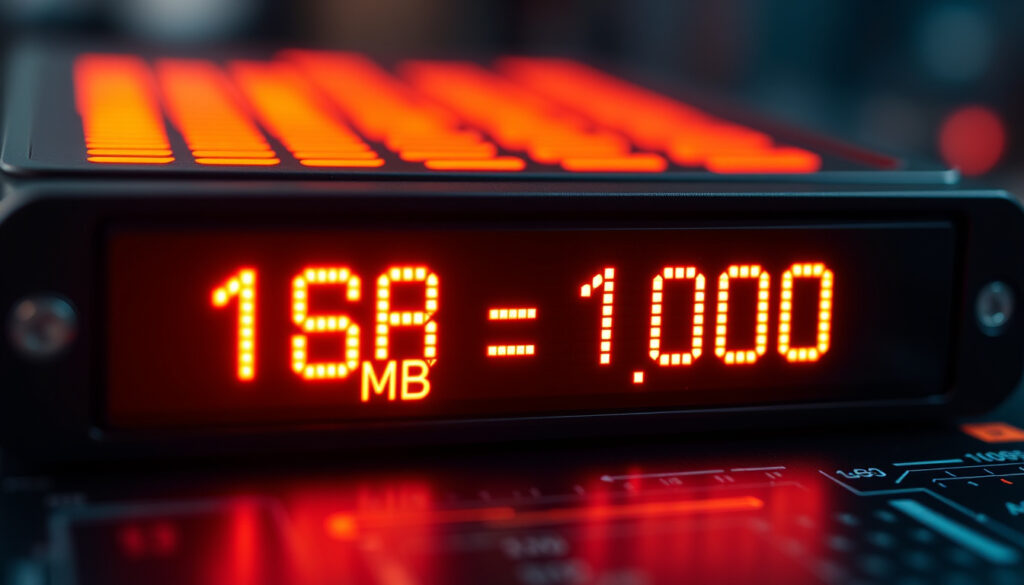
MB to GB Conversion: How Many MB in 1 GB? Binary vs Decimal
You’ve plugged in a new 500GB hard drive, and your computer says 465GB. That’s not a defect — it’s a math problem hiding in plain sight. This guide untangles the two definitions of a gigabyte, shows you how to convert MB to GB in both systems, and explains exactly why the numbers never seem to match.
1 Gigabyte (GB) equals: 1024 Megabytes (MB) in binary, 1000 MB in decimal ·
1 Megabyte (MB) equals: 0.0009765625 GB (binary) or 0.001 GB (decimal) ·
Most common conversion: 1024 MB to GB = 1 GB (binary) ·
1000 MB to GB: 1 GB (decimal, used by hard drive manufacturers)
Quick snapshot
- 1 GB = 1024 MB in binary (Gigacalculator (unit conversion tool))
- 1 GB = 1000 MB in decimal (ITarian (IT management resource))
- Hard drive manufacturers use decimal; operating systems use binary (Coding Horror (software engineering blog))
- When a universal standard will unify binary and decimal definitions across all devices and software
- 1998: IEC introduced binary prefixes (kibibyte, mebibyte, gibibyte) to disambiguate binary units (Coding Horror (software engineering blog))
- Storage vendors continue decimal labeling; OS binary reporting persists. Always check the unit context.
“Hard drive manufacturers use decimal; operating systems use binary.”
“Storage vendors use decimal definitions on product labels.”
The conversion table below captures the two competing standards at a glance. The real divide isn’t the number — it’s the base.
| System | Base | 1 GB = | Commonly used by |
|---|---|---|---|
| Binary (IEC) | 1024 | 1024 MB | RAM, OS file reporting, software |
| Decimal (SI) | 1000 | 1000 MB | Hard drive manufacturers, SSD labels |
A 500 GB hard drive labeled in decimal actually holds 500,000,000,000 bytes. Your computer, working in binary, divides that by 1024³ and reports about 465 GB — a 7% gap that never appears in the marketing material.
How many MB is 1 GB of data?
The short answer: it depends on whether you’re using the binary system (used by computers) or the decimal system (used by storage marketers).
Binary vs decimal definition
- Binary (base-2): 1 GB = 1024 MB. This is the standard for RAM, operating systems, and most applications. Gigacalculator’s conversion tool confirms this as the common computing usage (Gigacalculator (unit conversion tool)).
- Decimal (base-10): 1 GB = 1000 MB. ITarian notes that decimal definitions are used by storage vendors on product labels (ITarian (IT management resource)).
Why two standards exist
The confusion dates back to the early days of computing. The International Electrotechnical Commission (IEC) introduced binary prefixes in 1998 to remove ambiguity — mebibyte (MiB) for 1,048,576 bytes and gibibyte (GiB) for 1,073,741,824 bytes (Coding Horror (software engineering blog)). But the market never adopted them consistently. Hard drive makers stuck with decimal for larger-looking numbers, while software kept binary.
Strictly speaking, a “gigabyte” (GB) is defined by the International System of Units as 1,000,000,000 bytes. The binary equivalent is a gibibyte (GiB). Yet most consumers and even some technical documentation still use “GB” for both.
If you’re buying a 1 TB external drive, expect it to show around 931 GB on your computer. That’s not a fault — it’s the binary-decimal mismatch. The loss is roughly 7% of the advertised capacity.
The implication: always confirm which system a number refers to before assuming real capacity.
Which is bigger, 1 MB or 1 GB?
A gigabyte dwarfs a megabyte. In binary terms, 1 GB is exactly 1024 times larger than 1 MB. In decimal, the factor is 1000.
Visualizing file sizes
- A 3-minute MP3 song: roughly 3 MB. One GB holds about 340 songs (binary).
- A 10-megapixel photo: about 5 MB. One GB stores roughly 200 photos.
- One minute of HD video: typically 60–200 MB. One GB holds 5–16 minutes.
These comparisons assume binary-based file systems. The decimal-to-binary discrepancy doesn’t affect individual files — it only changes how capacity is reported for the whole drive.
Everyday examples
A 500 MB file is exactly half a gigabyte in decimal, but in binary it’s 0.488 GB. Small difference for one file, but when you have thousands, the gap accumulates.
How to convert MB to GB: step-by-step
You need two formulas — one for each system. The choice depends on who is asking: the operating system (binary) or the product spec sheet (decimal).
- Identify which conversion system applies: decimal (SI) for storage labels, binary (IEC) for operating systems and software.
- Apply the appropriate formula:
- Decimal: GB = MB ÷ 1000
- Binary: GB = MB ÷ 1024
- Use a calculator or spreadsheet to check results. For example, 2048 MB ÷ 1000 = 2.048 GB (decimal), and 2048 MB ÷ 1024 = 2 GB (binary).
Below are sample conversions illustrating the two systems side by side.
| MB | Decimal (÷1000) | Binary (÷1024) |
|---|---|---|
| 512 | 0.512 GB | 0.50 GB |
| 1024 | 1.024 GB | 1.0 GB |
| 2048 | 2.048 GB | 2.0 GB |
| 4096 | 4.096 GB | 4.0 GB |
| 10000 | 10.0 GB | 9.765 GB |
The pattern: the larger the number, the more the decimal value overstates compared to binary. For a 10 GB decimal drive, the binary capacity is about 9.77 GB — a 2.3% phantom loss.
What this means: a drive labeled with a decimal capacity will always show less usable space when plugged into a binary-based system.
How much data is 100GB and do I need more?
100 GB is a common threshold for mobile data plans and entry-level laptops. In real-world terms, that’s a lot — unless you’re streaming video daily.
100GB activity breakdown
- Music streaming (128 kbps): about 1000 hours (100 GB ÷ ~100 MB/hour).
- HD video (5 Mbps): about 43 hours (100 GB ÷ ~2.3 GB/hour).
- Photo uploads (5 MB each): about 20,000 photos.
- General browsing/social media: roughly 2–3 GB per day for a moderate user.
DriveUploader’s analysis notes that ads and product labels for storage devices often use decimal, which can make 100 GB appear larger than it actually is in binary (DriveUploader (file transfer blog)).
When to upgrade your plan
If you’re a heavy user — streaming 2+ hours of HD video daily, downloading large games, or working with 4K video — 100 GB will feel tight within a month. A 200 GB or 500 GB plan gives breathing room. For light users (email, browsing, music), 100 GB often lasts 3–4 months.
Phone storage advertised as 128 GB may show as little as 112 GB available after the OS and preloaded apps take their binary cut. The real usable space is always less than the decimal number on the box.
What this means: the usable storage is always less than the advertised number, so plan accordingly.
Why is 1TB not exactly 1024 GB?
If the world used binary consistently, 1 TB would be 1024 GB. But the hard drive industry doesn’t. A 1 TB drive is 1,000,000,000,000 bytes — decimal marketing. Your computer, reading in binary, sees 1,099,511,627,776 bytes as 1 TiB (tebibyte). The difference: 1 TB (decimal) equals about 931 GiB (binary).
History of binary prefix
Before 1998, “megabyte” could mean either 1,000,000 or 1,048,576 bytes — a mess. The IEC standardized binary prefixes to clean it up (Coding Horror (software engineering blog)). Yet adoption was slow: operating systems still call binary gigabytes “GB,” and manufacturers still use decimal GB on boxes.
Decimal marketing vs real capacity
A 500 GB drive in decimal holds 500,000,000,000 bytes. Divide by 1024³ (binary gigabytes) and you get ~465 GB. That’s why your new external drive always seems smaller than advertised. The practice is legal because labeling uses SI definitions, but it’s a persistent source of consumer confusion.
The same applies to SSDs, USB sticks, and SD cards: the manufacturer’s decimal number minus ~7% equals the binary number your OS shows.
The catch: the 7% gap is consistent across all storage media, from hard drives to USB sticks.
To navigate the confusion between the decimal (1000) and binary (1024) measuring systems, refer to our detailed guide on MB to GB for a clear breakdown of both standards.
Frequently asked questions
Is 1 GB enough for a day of browsing?
For light browsing, email, and social media, 1 GB can last a day. However, streaming video or music will drain it quickly — a single 30-minute HD show can use 500 MB.
How many MB is a 1 GB data plan?
A 1 GB data plan provides 1000 MB in decimal (what carriers advertise) or 1024 MB in binary (what your phone’s data counter likely uses). The difference is small but can add up over a billing cycle.
Can I convert MB to GB in Excel?
Yes. For decimal: =A1/1000. For binary: =A1/1024. Use the ROUND function to control decimal places.
What is the difference between a MB and a GB in internet speed?
Internet speeds are measured in megabits (Mb) and gigabits (Gb) — lowercase ‘b’ for bits. 1 byte = 8 bits. A 100 Mbps connection equals 12.5 MB/s. MB and GB are for data size, not speed.
How many GB is 4096 MB?
4096 MB ÷ 1024 = 4 GB (binary). ÷ 1000 = 4.096 GB (decimal). Most operating systems will report 4 GB.
Does 1 GB equal 1024 MB on a USB stick?
Not in the product label. A “1 GB” USB stick is 1,000,000,000 bytes. Your computer will read it as roughly 0.93 GiB (about 953 MB).
Why does my 256GB phone show less storage?
Because the OS uses binary. A 256 GB phone (decimal) has 256,000,000,000 bytes. The system software and pre-installed apps also consume space. Typical available storage is around 230–240 GiB.
More related posts
 Low Porosity Hair: Signs, Tests, and Expert Care Tips
 Lauren Lapkus Biography: OITNB to Sober Companion
 Best Home Internet Plans Ireland: Compare Deals & Prices
 Erling Haaland: Children, Shirt Name & Smoking Rumors
 Babe Ruth: Biography, Stats, Death, Net Worth, and Legacy
 Dricus du Plessis – UFC Record, Stats and Career Profile
 Font Copy and Paste: Step-by-Step Guide to Fancy Text
 Cate Blanchett: Top Questions About Her Life and Career